Rubriques : Mode multi-utilisateur
Notifications des changements en mode multi-utilisateur
Lorsqu’ une modification est effectuée en mode multi-utilisateur et que cela a un impact sur ce qui vous a été assigné, vous pouvez recevoir l’information de la manière suivante:
1- Si l’activité est assignée à vous et que vous faites un changement, aucune notification ne sera envoyée.
2- Si l’activité est assignée à vous et que vous la transférez à quelqu’un d’autre dans votre organisation, le message suivant apparaîtra:

La notification suivante sera envoyée:
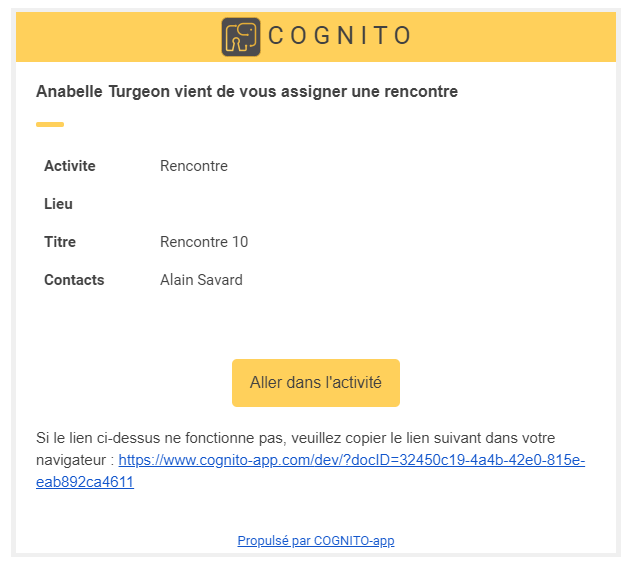
3- Si l’activité est à votre nom et quelqu’un fait une modification à l’intérieur de cette activité, autre message

La notification suivante sera envoyée:
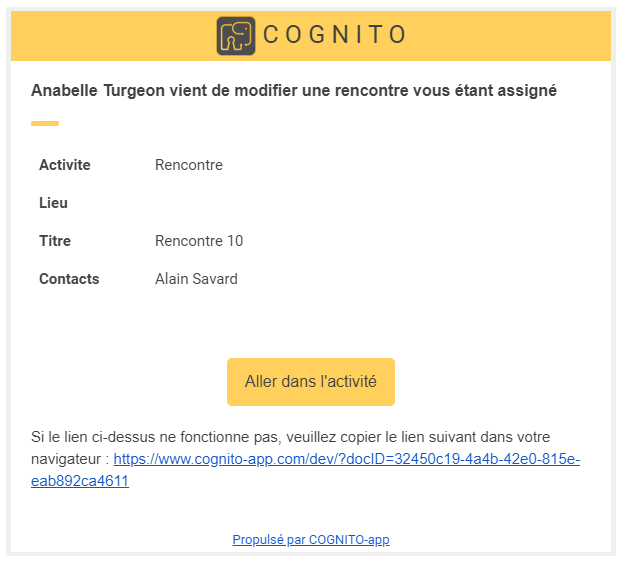
TRUC 1: Vous pouvez laisser une note indiquant la date et la raison de la modification pour votre collègue.
TRUC 2: Vous pouvez utiliser le filtre des utilisateurs pour voir que vos activités.
- Articles liés
Compléter mon profil d'entreprise
Comment créer une facture via une activité?
Différence entre produire et sauvegarder une facture dans **Cognito-app**
Le filtre en mode multi-utilisateur de Cognito-app
Comment ajouter/retirer ou modifier des droits d'accès à des utilisateurs en mode multi-praticiens?
Comment créer un profil utilisateur en mode multi-coachs ?
- En vedette
-
Synchroniser Cognito-app avec le calendrier de Google Calendar
-
Contacter le support
-
Comment créer une activité dans Cognito-app?
-
Ajouter une nouvelle plage de disponibilité
-
Créer des phrases personnalisées dans les prises de notes du panneau d'accompagnement de Cognito-app
-
Activer la prise de rendez-vous pour mes clients
- Rubriques
Abonnement
Action des clients
Activités
Activités
Bibliothèque
Bienvenue à bord
Boutique en ligne
Cadre Légal
Calendrier
Discussions
Dossier Client
Espace Client
FAQ (question fréquemment posées)
Facturation et réception de paiement
Formulaires
Glossaire
Guides
Général
Mode multi-utilisateur
Multilingue
Options de coaching
Paramètres
Parcours
Parler de COGNITO App sur mon site internet ou dans une offre de service
Prise de rendez-vous en ligne
Profil utilisateur
Programme
Programmes
Rapports
Requêtes ( Actions à poser)
Référencement
Résolution de problème
Statistiques
Synchronisation du calendrier
Tableau de bord
Version 2020.6
Version 2020.7
Version 2020.7
Version 2021.1
Version 2021.2
Version 2021.3
Version 2022.1
Version 2022.1
Version 2022.2
Version 2022.3
Version 2022.4
Version 2023.1
Version 2023.2
Version 2024.1
Version 2024.2
Vidéoconference