Rubriques : Abonnement Référencement
Recommander Cognito-app à un autre coach
Cet article assume que vous êtes dans la section des référencements
Depuis 2020.4 Voici les points dans cette documentation qui concernent les nouveautés de cette version.
- Point 1:Lien personnalisable à lancer dans votre réseau afin de faciliter le référencement à toute personne intéressée par un outil comme Cognito-app, que vous soyez client ou en évaluation vous avez cette possibilité.
Pour recommander Cognito-app à un autre coach, voici comment faire:
1- Cliquez sur “Inviter coach” ou envoyez- lui votre lien personnalisé.
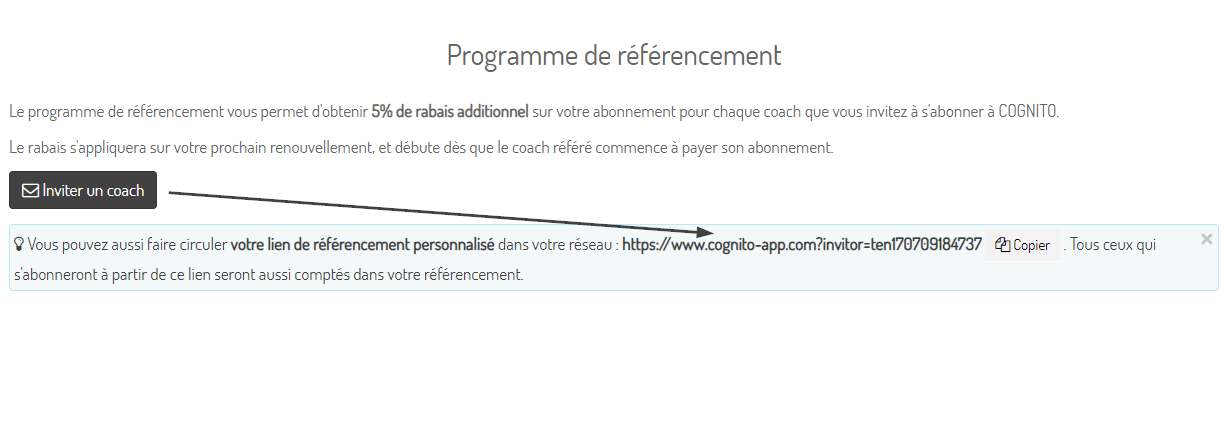
Vous avez dans cette fenêtre dans la section bleue un lien personnalisé pour vous que vous pouvez lancer dans votre réseau, que vous soyez client ou en évaluation. Ce lien unique permettra, si une personne qui l’a utilisée pour s’abonner à Cognito-app, à vous faire profiter du 5 % de rabais applicable par personne qui prend un abonnement payant suite à l’essais gratuit. Nous l’appliquerons sur votre abonnement.Vous lancez le lien dans votre réseau et c’est tout, le reste est automatique!
2- Entrez le courriel de votre invité et écrivez-lui un message personnalisé. Sinon, le message par défaut de Cognito-app apparaîtra.
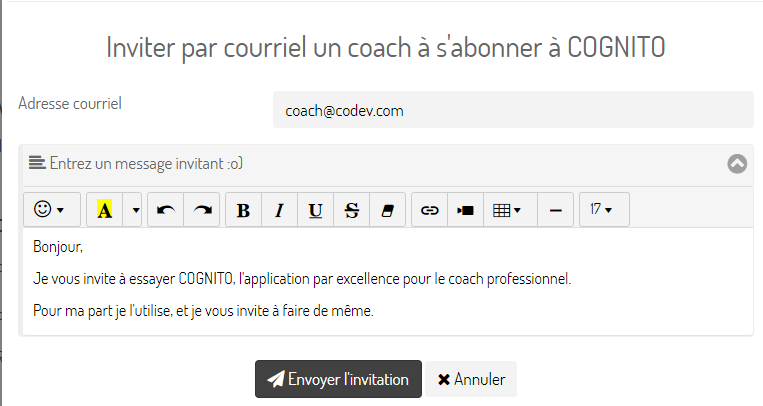
3- Et voilà, l’invitation est lancée!
4- Pour consulter le statut des invitations et de vos rabais, simplement cliquez sur la section rabais de votre “Abonnement”.
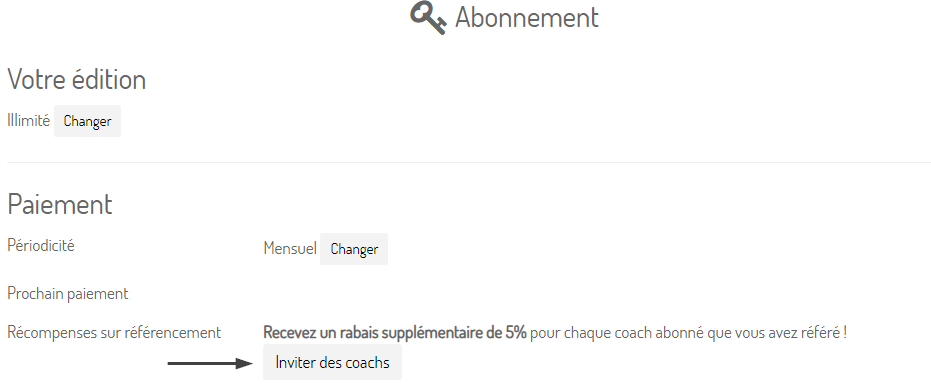
5- Voici un exemple du détail des statuts de vos invitations et rabais
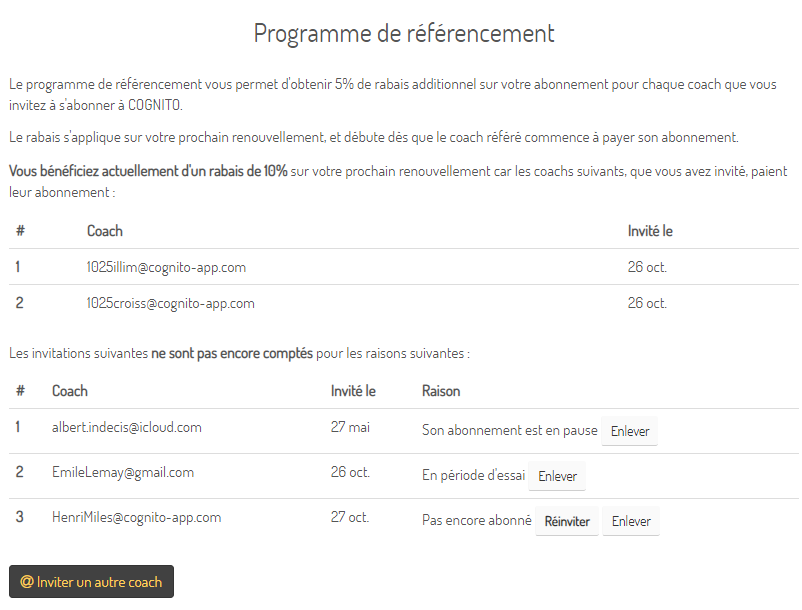
“Consulter le programme de référencement”.
- Articles liés
Comment puis-je payer mon abonnement Cognito-app ?
Quand mon plan d'abonnement Cognito-app expire-t-il?
Annulation de votre abonnement Cognito-app
Renouvellement automatique des abonnements
Comment fonctionne la version d’essai?
Qu’arrive-t-il quand la période d’essai gratuit de Cognito-app arrive à échéance ?
Puis-je changer mon forfait de Cognito-app à tout moment?
Avec quelles devises puis-je payer?
Facture pour votre achat d'un forfait Cognito-app
Qu'est-ce que l'état d'abonnement en lecture seule ?
Mot de passe oublié ou à réinitialiser
Que se passe-til lorsque je cesse mes paiements ?
Forfait à l'utilisation (croissance)
Programme de référencement
Consulter mon abonnement Cognito-app
Mettre mon abonnement de Cognito-app en pause
Réactiver mon abonnement après une période de mise en pause de Cognito-app
- En vedette
-
Synchroniser Cognito-app avec le calendrier de Google Calendar
-
Contacter le support
-
Comment créer une activité dans Cognito-app?
-
Ajouter une nouvelle plage de disponibilité
-
Créer des phrases personnalisées dans les prises de notes du panneau d'accompagnement de Cognito-app
-
Activer la prise de rendez-vous pour mes clients
- Rubriques
Abonnement
Action des clients
Activités
Activités
Bibliothèque
Bienvenue à bord
Boutique en ligne
Cadre Légal
Calendrier
Discussions
Dossier Client
Espace Client
FAQ (question fréquemment posées)
Facturation et réception de paiement
Formulaires
Glossaire
Guides
Général
Mode multi-utilisateur
Multilingue
Options de coaching
Paramètres
Parcours
Parler de COGNITO App sur mon site internet ou dans une offre de service
Prise de rendez-vous en ligne
Profil utilisateur
Programme
Programmes
Rapports
Requêtes ( Actions à poser)
Référencement
Résolution de problème
Statistiques
Synchronisation du calendrier
Tableau de bord
Version 2020.6
Version 2020.7
Version 2020.7
Version 2021.1
Version 2021.2
Version 2021.3
Version 2022.1
Version 2022.1
Version 2022.2
Version 2022.3
Version 2022.4
Version 2023.1
Version 2023.2
Version 2024.1
Version 2024.2
Vidéoconference