Rubriques : FAQ (question fréquemment posées) Général Version 2020.6
Menu-Paramètres dans Cognito-app
Vous trouverez dans les paramètres l’ensemble des options de configuration de votre Cognito-app.
Le menu “Paramètres” se retrouve à plusieurs endroits dans Cognito-app:
1. Dans le menu de navigation à gauche: 
2. Dans le menu de votre profil en haut à droite
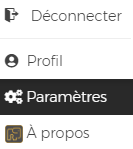
3. Vous retrouverez des racourcis dans certains modules ( facturation, calendrier…) pour vous permettre d’accéder rapidement aux paramètres identifiés par l’icône 
- Articles liés
Comment puis-je payer mon abonnement Cognito-app ?
Quand mon plan d'abonnement Cognito-app expire-t-il?
Annulation de votre abonnement Cognito-app
Renouvellement automatique des abonnements
Comment fonctionne la version d’essai?
Qu’arrive-t-il quand la période d’essai gratuit de Cognito-app arrive à échéance ?
Puis-je changer mon forfait de Cognito-app à tout moment?
Avec quelles devises puis-je payer?
Facture pour votre achat d'un forfait Cognito-app
Le niveau de sécurité de Cognito-app
Les menus dans la navigation de Cognito-app
Contacter le support
Identité visuelle et utilisation du logo Cognito-app
Compléter mon profil utilisateur
Mot de passe oublié ou à réinitialiser
Comment saisir un profil utilisateur ?
Que se passe-til lorsque je cesse mes paiements ?
Forfait à l'utilisation (croissance)
À quoi ressemble l'Espace Client de Cognito-app?
Activités-Activer les notifications pour UN type d'activité
Parler de Cognito-app sur mon site internet ou dans une offre de service
Mettre mon abonnement de Cognito-app en pause
Réactiver mon abonnement après une période de mise en pause de Cognito-app
Menu-Bienvenue à bord de Cognito-app
Créer un client démo dans Cognito-app
Options de configuration dans une fenêtre de Cognito-app
Comment créer une requêtes ( actions à poser) dans Cognito-app
À quoi servent les guides dans Cognito-app?
À quoi sert la bibliothèque dans Cognito-app?
Comment changer ma langue d'utilisation
Comment entrer le lien pour avoir accès rapidement à une visioconférence? ( Zoom, Team, Meet...)
Comment joindre un fichier dans Cognito-app?
Pourquoi le bouton facturer n'est pas disponible dans mon activité?
Comment récupérer le ID ( le lien unique) de video Youtube
Informations générales sur la vidéoconférence
Licence utilisateur pour une personne administrative dans Cognito-app
Glossaire
Comment ouvrir une boutique en ligne avec Cognito-app?
Comment envoyer un courriel via la plateforme?
Quels éléments ajouter à mon entente de termes et conditions lorsque je vends des produits en ligne?
Comment inclure ma politique de confidentialité afin que mes clients puissent l'accepter ?
Quels éléments inclurent dans une politique de confidentialité et vie privé?
Comment inclure mes termes et conditions dans ma boutique en ligne?
FAQ – Questions fréquentes sur la terminologies personnalisée
FAQ- Code Promotionnel
FAQ- Sécurité des données
- En vedette
-
Synchroniser Cognito-app avec le calendrier de Google Calendar
-
Contacter le support
-
Comment créer une activité dans Cognito-app?
-
Ajouter une nouvelle plage de disponibilité
-
Créer des phrases personnalisées dans les prises de notes du panneau d'accompagnement de Cognito-app
-
Activer la prise de rendez-vous pour mes clients
- Rubriques
Abonnement
Action des clients
Activités
Activités
Bibliothèque
Bienvenue à bord
Boutique en ligne
Cadre Légal
Calendrier
Discussions
Dossier Client
Espace Client
FAQ (question fréquemment posées)
Facturation et réception de paiement
Formulaires
Glossaire
Guides
Général
Mode multi-utilisateur
Multilingue
Options de coaching
Paramètres
Parcours
Parler de COGNITO App sur mon site internet ou dans une offre de service
Prise de rendez-vous en ligne
Profil utilisateur
Programme
Programmes
Rapports
Requêtes ( Actions à poser)
Référencement
Résolution de problème
Statistiques
Synchronisation du calendrier
Tableau de bord
Version 2020.6
Version 2020.7
Version 2020.7
Version 2021.1
Version 2021.2
Version 2021.3
Version 2022.1
Version 2022.1
Version 2022.2
Version 2022.3
Version 2022.4
Version 2023.1
Version 2023.2
Version 2024.1
Version 2024.2
Vidéoconference